 +1-480-241-8198
 +44-7428758945
 +61-1300-332-888
 +91 9811400594
Hyperforce is the infrastructure layer on which customer orgs run. The CRM provider is integrating customer orgs into the infrastructure to support scalability, widen regional availability, and provide customers with more certainty in data location. Most organizations consider the move to be an infrastructure change; one managed solely by Salesforce. Not entirely correct. While migration is managed by Salesforce, it does not own the integrations, security policies, or compliance requirements. The user is responsible for handling them while using Salesforce Hyperforce.
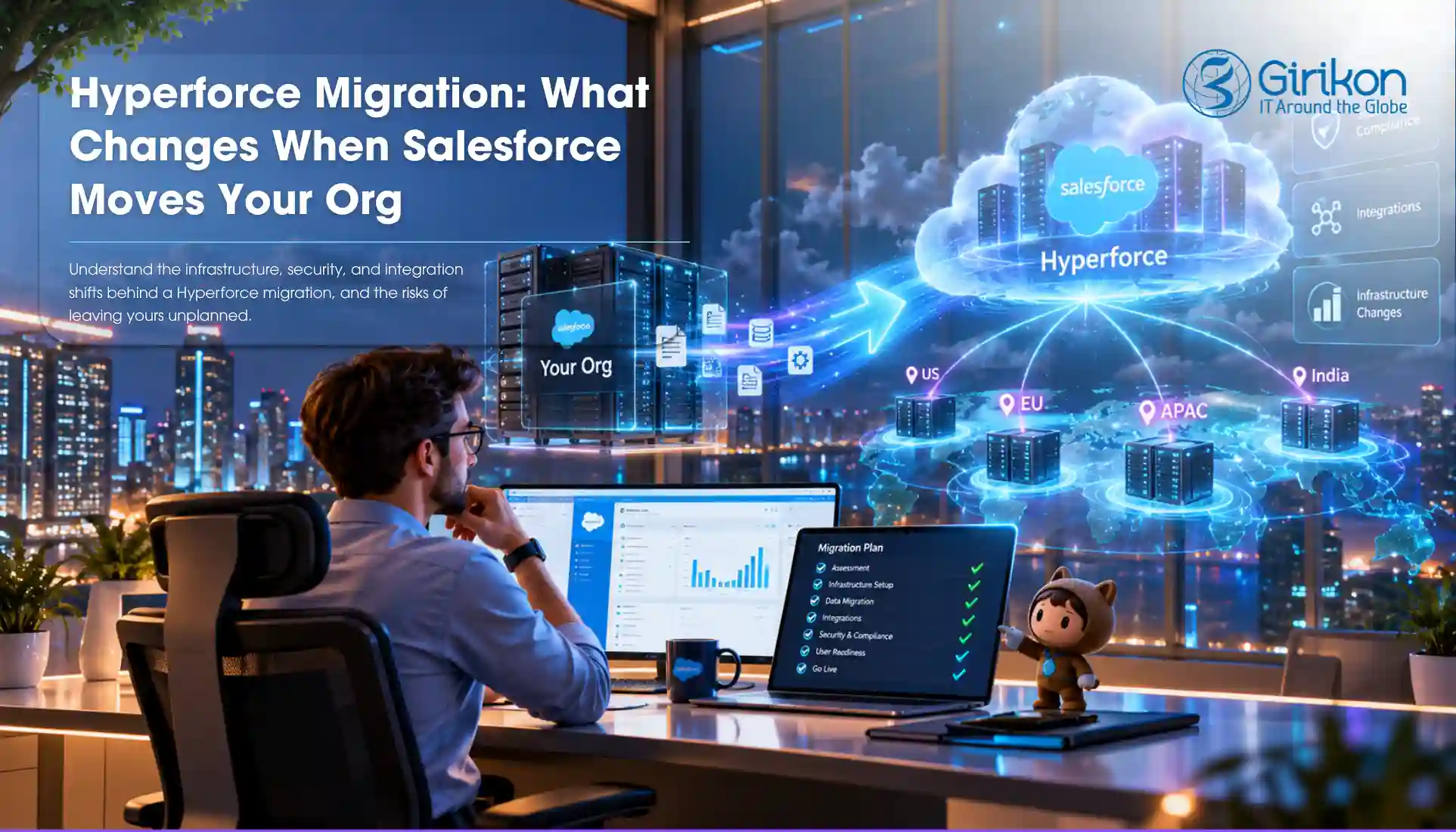
Therefore, it’s important for teams to review how data is stored; systems are connected to Salesforce; and whether any migration-related gaps need attention. This is because a proper migration strategy will let you gain optimal results and avoid costly fixes. In this article, we’ll help you understand what really happens during Hyperforce migration, what remains unchanged, and what can go wrong if teams don’t plan ahead.
What is Salesforce Hyperforce?
Hyperforce isn’t a new product launched by Salesforce. It’s simply an infrastructural foundation on which your Salesforce org runs. It’s designed to support both growth and compliance without compromising user experience and the core CRM functionalities. Most users won’t see the change, post migration. But it can impact data residency, various integrations, network settings, and security controls, so users need a proper cutover plan.
What Actually Changes During a Hyperforce Migration?
The most significant change is the infrastructure hosting the Salesforce org. Data residency options, network configurations, and integration dependencies may need review as part of that transition. Salesforce Hyperforce changes the underlying layer, and these are:
01
Data Residency and Hosting Location
Once you move the site of your org, Hyperforce data residency options will give you choices across the region to comply with regulatory requirements. It may also affect audits, governance, and local data rules. Review the selected location against internal controls.
02
Network and Security Configuration
Both IP ranges and network paths can change post migration. Fixed Address based controls like Firewalls, Allowlists, and VPN Rules should be reviewed. Any system that relies on approved network routes should be included in migration testing.
03
Integration Endpoints and External Systems
Connected systems may use different Salesforce endpoints. The function may not change, but it can be important to check for any dependents. This includes middleware, custom apps, reporting tools, and more, all of which exchange info with Salesforce. It’s because even if the connection works now doesn’t mean, it will continue to do so later as well.
What Can Break If You Don’t Prepare for Migration?
01
Integration Failures
Middleware may fail when it relies on previous endpoints. Mismatched URLs and certificates can also cause authentication errors. Older systems are a common source of these issues. Testing may not reveal every issue, with some integrations only showing problems in production. This makes identifying config issues harder before migration.
02
Interruption in Report and Data Transfer
Existing connection settings might be required for exports, ETL jobs, and analytics workflows. As those change, data ceases to flow and affects reporting accuracy. Scheduled reports, automated exports, and downstream reporting systems may also be affected if connectivity settings are not reviewed before cutover.
03
Security and Access Issues
Failure to verify single sign-on settings may prevent users from authentication. There are issues with VPN when new ranges aren’t recognized on the network. Not keeping the allowlist up to date can deny access to systems and individuals.
04
Unexpected Compliance Gaps
Organizations often assume their data remains where it was before, even after the migration and need no special due diligence. But existing controls may not reflect the new environment, therefore, should be checked before cutover. While Salesforce manages the migration, dependent systems remain the organization’s responsibility, so confirm they meet compliance and security requirements.
Why Salesforce API Version Retirement Should Be Part of the Conversation
When you’re doing infrastructure migration, you tend to discover the inefficiencies of previous integrations. Salesforce API version retirement is a different, but parallel, modernization initiative. It needs to be part of the same discussion because retired versions don’t respond to requests, so integrations developed based on these will fail with or without the Hyperforce.
Teams should identify legacy integrations, unsupported API versions, custom applications, and other managed package dependencies. When reviewed together, it saves time from duplicate testing. Regular review of long-standing integrations is key, and migration projects are a perfect opportunity to revisit these projects if they’re planned.
Hyperforce Migration Checklist for Salesforce Teams
Follow this Hyperforce migration checklist before the cutover to ensure you’re ready:
- Inventory integrations
- Review API dependencies
- Validate middleware connections
- Test SSO configuration
- Review IP allowlists
- Verify firewall rules
- Confirm authentication policies
- Review data residency requirements
- Validate governance controls
- Document audit requirements
- Notify stakeholders
- Schedule testing windows
- Prepare rollback and support plans
When Do You Need Salesforce Consultants?
A simple Hyperforce migration can be done in-house by many teams. However, external expertise comes into play in cases where it’s more challenging to map the environment, and the impact of a missed dependency is significant. This can be anything from multiple business units, regulated environments, complex integration, big deployments of Salesforce, and custom applications.
But in these instances, a Salesforce consultant will be able to assist you, since they bring in industry expertise without hiring an entire new team for organizing assessment, testing, and migration activities. Teams that need support before, during, or after migration may work with a Salesforce implementation partner or Salesforce managed services partner, depending on the level of assistance required.
Conclusion
So far, we’ve understood that Hyperforce changes where your Salesforce org runs by giving greater flexibility around scale, regional availability, and data location. All this, without changing the Salesforce experience, users depend on. For that to happen, you need a successful shift with a structured roadmap. By reviewing dependencies early, organizations can avoid disruption and confidently move to Salesforce Hyperforce successfully.
If your organizations also need additional support to assess dependencies and reduce migration risk, contact Salesforce consulting services providers for a free 30-min consultation!
About Author

Anjali is a technical content writer and strategist with 9 years of experience, bringing expertise in creation and strategy for IT services, software development, and Salesforce consulting companies. She excels at developing SEO-driven storytelling and technical narratives, and in crafting marketing assets that boost visibility, accelerate sales, and deliver measurable business growth.
Share this post on: